
jekyll-webmentions-static
Fetch and render Webmention.io mentions as static HTML at Jekyll build time — no JavaScript, no runtime API calls.
jekyll-webmentions-static fetches your Webmention.io mentions at Jekyll build time and renders them as plain static HTML. No JavaScript, no client-side API calls, no runtime dependencies — just static output that works on GitHub Pages or any static host.
Webmentions are the IndieWeb’s response system. When someone likes, reposts, or replies to your content from a webmention-enabled platform (Mastodon, Micro.blog, and others via Bridgy), those interactions can appear on your site as first-class content.
How It Works
- At build time, the plugin fetches all mentions for your domain from the Webmention.io API
- Mentions are cached to
_webmentions_cache.jsonto avoid redundant fetches - Each post gets its mentions injected into
page.webmentions - The
{% webmentions %}Liquid tag renders them as styled HTML
Requirements
- A Webmention.io account (free)
- A
<link rel="me">pointing to your GitHub profile in your site’s<head>for authentication - Your Webmention.io API token
Installation
Add to your Gemfile:
gem "jekyll-webmentions-static"
Add to plugins: in _config.yml:
plugins:
  - jekyll-webmentions-static
Configuration
webmentions:
  token: YOUR_TOKEN      # or use WEBMENTION_TOKEN env var (preferred for CI)
  cache: true            # cache fetched mentions (default: true)
  cache_ttl: 3600        # seconds before re-fetching (default: 3600)
Add _webmentions_cache.json to your .gitignore.
For GitHub Actions, set WEBMENTION_TOKEN as a repository secret instead of putting the token in _config.yml.
Keep mentions fresh with a scheduled rebuild. Webmentions only update when your site is rebuilt — if you don’t publish often, add a schedule trigger to your Pages workflow so they stay current:
on:
  push:
    branches: [main]
  schedule:
    - cron: '0 */6 * * *'   # rebuild every 6 hours
Adjust the interval to taste. Daily (0 0 * * *) is reasonable for most sites.
Template Usage
Add the tag to your post layout:
{% webmentions %}
Or access the raw data directly via page.webmentions for custom rendering:
{% assign likes = page.webmentions | where: "type", "like-of" %}
<p>{{ likes.size }} likes</p>
Output Structure
The {% webmentions %} tag renders:
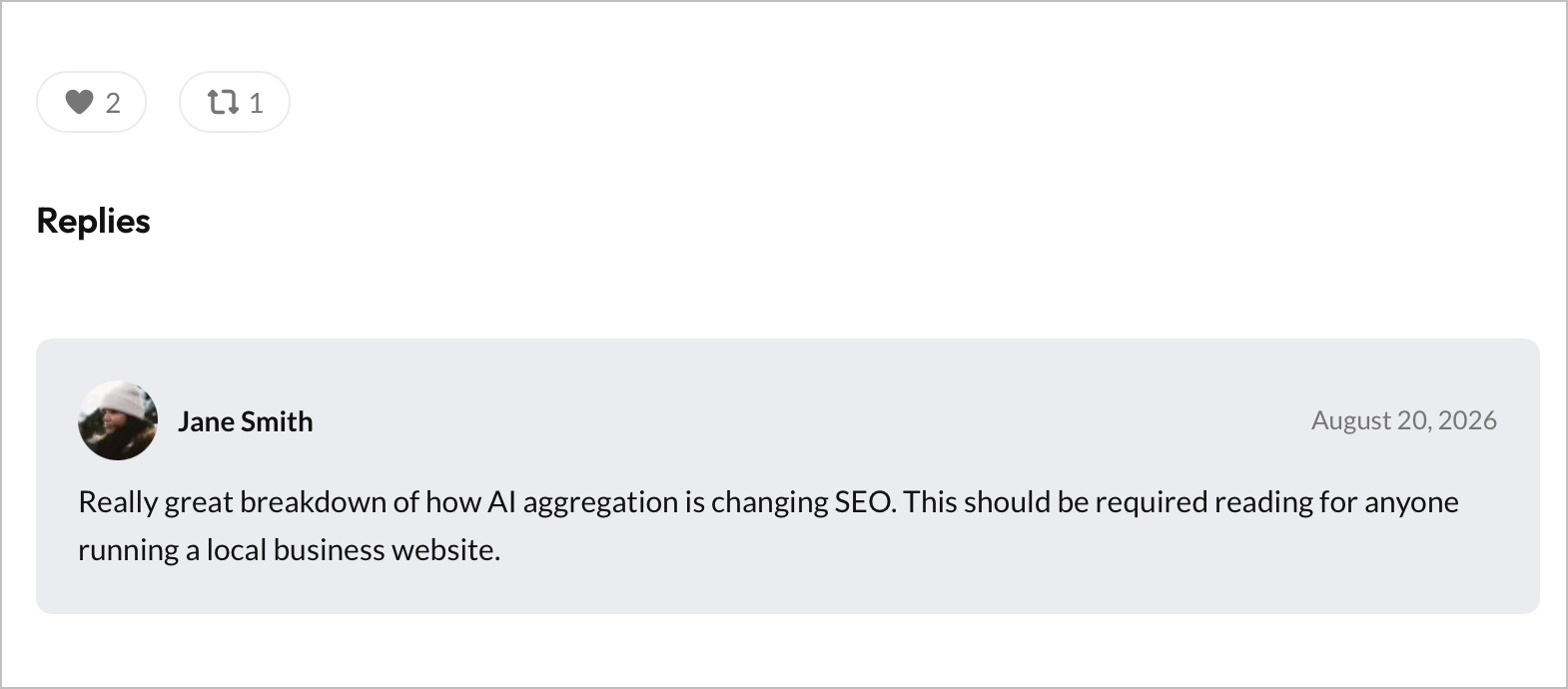
- Reaction counts — likes (♥), reposts (⟳), and bookmarks in pill badges with tooltip text on hover
- Replies — each reply shown as a card with author avatar, name linked to their profile, date, and reply text
Styling
The plugin emits unstyled semantic HTML. All elements use BEM class names for easy targeting:
/* Outer section */
.webmentions { }

/* Reaction count pills */
.webmentions__counts { }
.webmentions__likes { }
.webmentions__reposts { }
.webmentions__bookmarks { }

/* Replies section */
.webmentions__replies { }
.webmentions__replies-heading { }

/* Individual reply card */
.webmention__reply { }
.webmention__author { }
.webmention__avatar { }        /* circular avatar img */
.webmention__author-name { }   /* linked name */
.webmention__date { }
.webmention__content { }
Source
Available on GitHub and RubyGems.
gem install jekyll-webmentions-static

jekyll-toc-generator
jekyll-social-share