jekyll-before-after
A Jekyll plugin providing a before_after Liquid tag for rendering a drag-to-reveal image comparison slider using the img-comparison-slider web component.
jekyll-before-after adds a before_after Liquid tag for drag-to-reveal image comparisons in Jekyll. It wraps the proven img-comparison-slider web component—zero dependencies, fully accessible, GitHub Pages compatible, and supports horizontal or vertical layouts with keyboard navigation, touch support, and CSS custom property theming.
Installation
Add to your Gemfile:
gem "jekyll-before-after"
Add to _config.yml:
plugins:
  - jekyll-before-after
Then run bundle install. The plugin works immediately with no additional configuration—the library script is automatically injected into every page.
Usage
{% before_after
  before="/images/before.jpg"
  after="/images/after.jpg"
%}
Options
| Option | Default | Description |
|---|---|---|
before |
(required) | Path to the “before” image |
after |
(required) | Path to the “after” image |
orientation |
horizontal |
horizontal or vertical |
Horizontal comparison
{% before_after
  before="/images/main-street-2018.jpg"
  after="/images/main-street-2024.jpg"
%}
Vertical comparison
{% before_after
  before="/images/building-2015.jpg"
  after="/images/building-2025.jpg"
  orientation="vertical"
%}
Multiple sliders on the same page are fully supported.
Demo
Horizontal: Limerick Facade Restoration


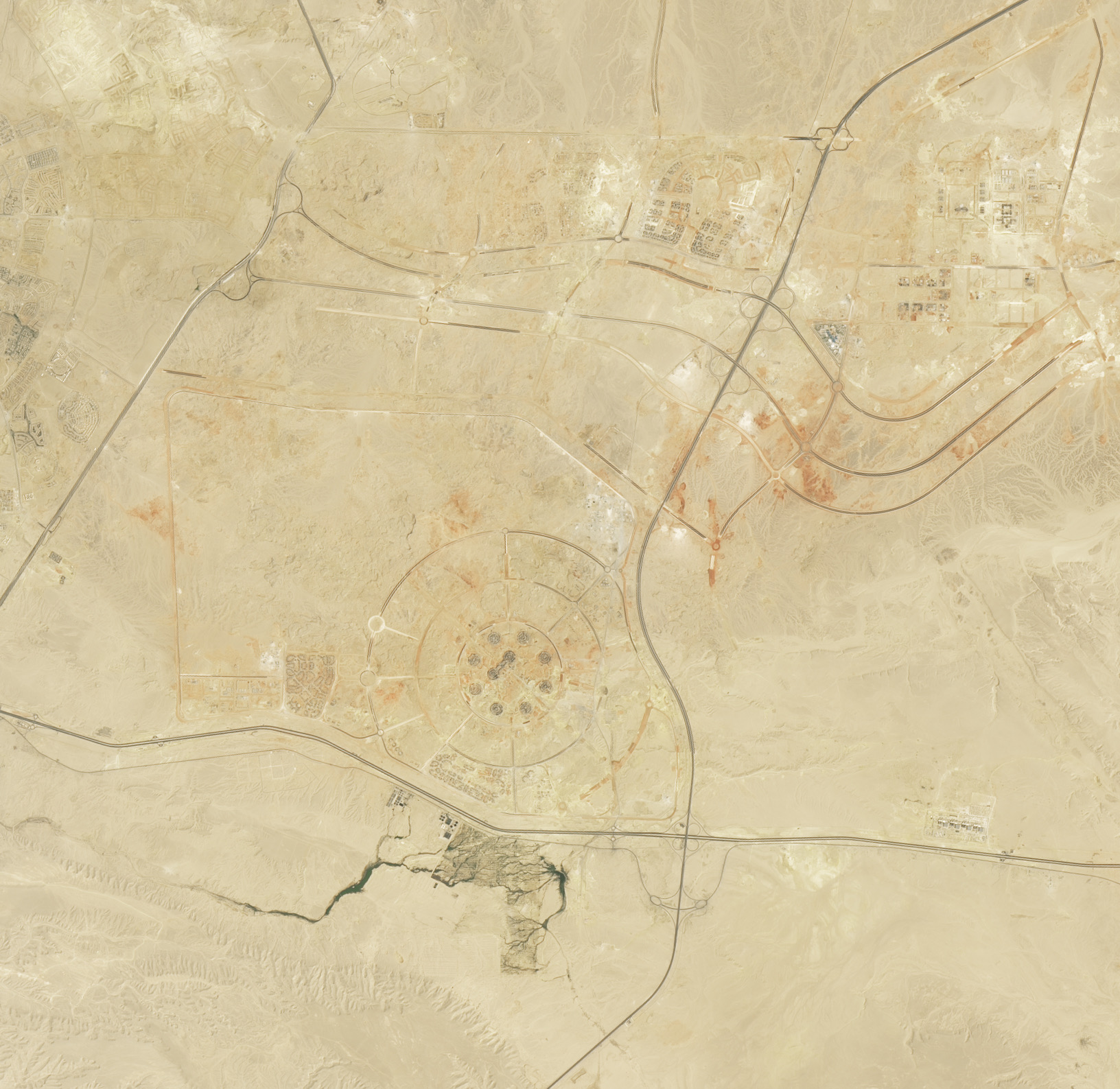
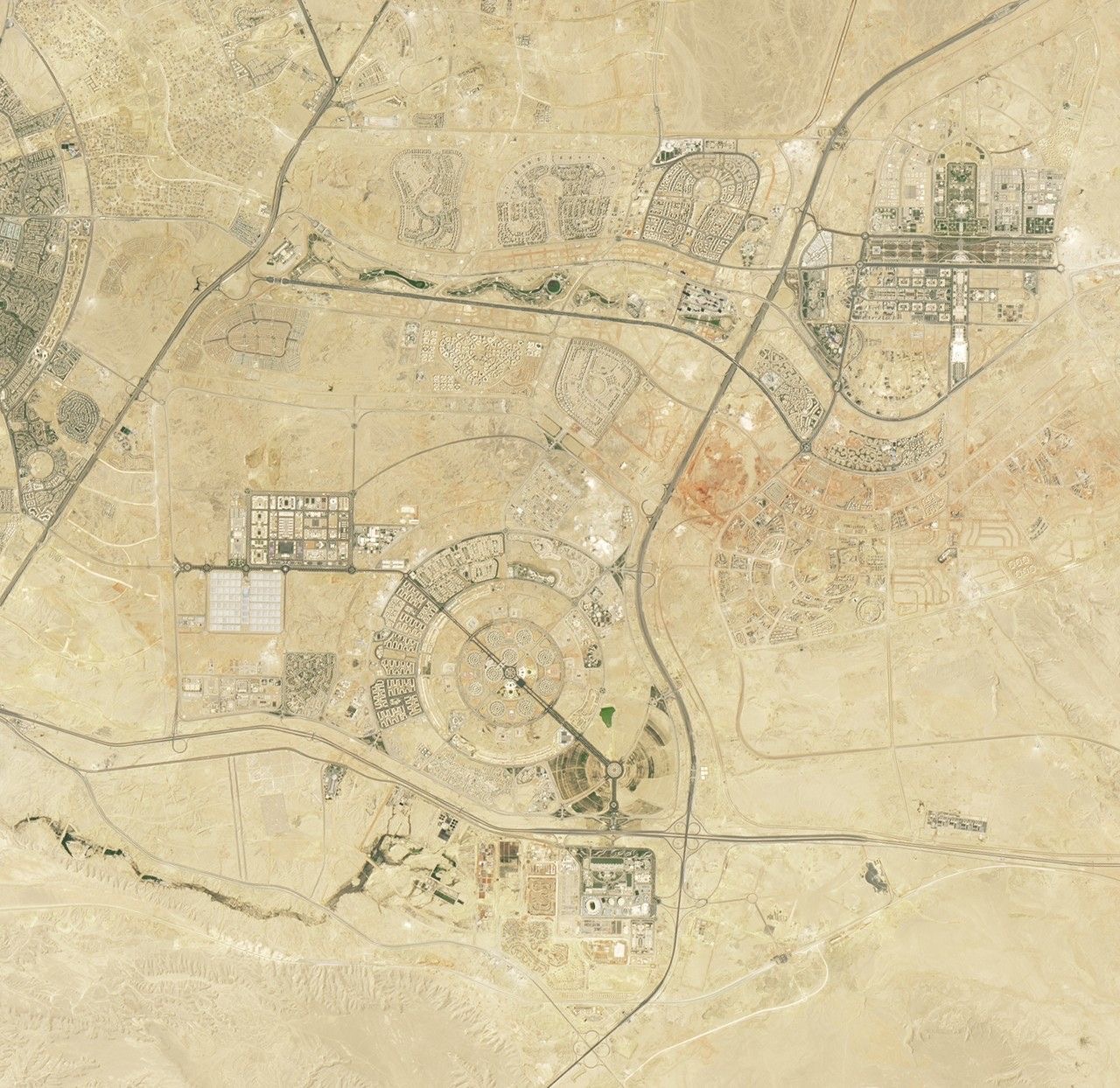
Vertical: Egypt’s New Capital (NASA Landsat)
Styling
All visual properties are controlled via CSS custom properties. Target the img-comparison-slider element:
img-comparison-slider {
  --divider-width: 4px;
  --divider-color: #fff;
  --handle-width: 60px;
  --handle-height: 60px;
  --handle-opacity: 0.3;
  --handle-shadow: 0 2px 8px rgba(0, 0, 0, 0.35);
}
See the img-comparison-slider docs for all available CSS custom properties.
Interaction
- Drag the divider to reveal
- Click anywhere on the image to jump the slider to that position
- Keyboard: focus the slider and use arrow keys
- Touch and stylus supported via Pointer Events API
How it works
This plugin wraps the lightweight img-comparison-slider web component, loading it from CDN. The Liquid tag converts your <img-comparison-slider>
<img slot="first" src="" alt="Before">
<img slot="second" src="" alt="After">
</img-comparison-slider>
markup into the web component format, and the plugin injects the library script into the page automatically.
There is no configuration required—simply add the gem to your Gemfile, register it in your _config.yml, and use the tag. The library script and styles are injected seamlessly on every page that contains a slider.

jekyll-social-share
jekyll-timeline